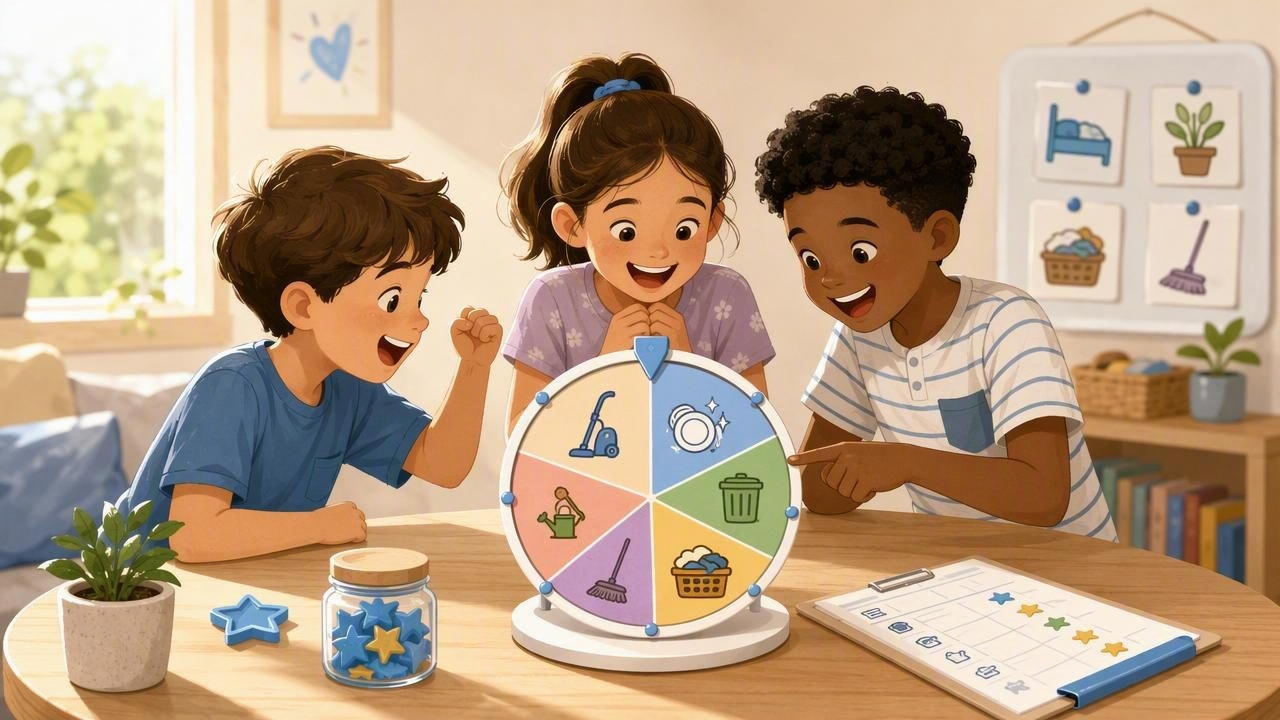
If “Who has to do it?” turns into a debate every day, you’re not alone. Chores are an important part of family life, but the assignment of chores is often where stress begins. A kid friendly name picker for chores is a simple, practical way to keep things fair, reduce negotiation, and help kids feel more in control of the routine.
This guide walks you through easy methods (from paper slips to a spin wheel), how to customize them for different ages, and how to set rules that keep the system genuinely fair—without turning chores into a daily power struggle.
Why a name picker works so well for chores
A name picker is basically a neutral “referee.” Instead of a parent deciding (and taking the blame), the system decides. That matters because chores can easily feel personal to kids, especially when they’re tired, hungry, or already frustrated.
- Fairness is visible: Everyone sees the same process.
- Arguments drop: The picker is the decision-maker, not you.
- Consistency improves: One quick draw beats long discussions.
- Kids buy in: When they helped set up the rules, they’re more likely to follow them.
When rules are predictable and impartial, kids spend less energy testing boundaries and more energy meeting expectations.
Three kid-friendly ways to pick names (and when to use each)
1) The classic jar: paper slips with names
This is the simplest option and works great for younger kids who like something tactile. Write each child’s name on a slip, fold it, and place it in a jar.
- Best for: Ages 4–10, small households, quick daily picks
- Pros: Visible, fun, no screens
- Cons: Easy to lose slips; fairness depends on consistent rules
2) Cards or popsicle sticks: durable and easy to reset
Write names on sturdy cards or popsicle sticks. Kids can decorate them, which increases ownership and cooperation.
- Best for: Families who want a reusable system
- Pros: Durable; kids love decorating; easy to store
- Cons: Needs a clear “used vs. unused” rule to prevent repeats
3) A spinner or name-picker app: fast, customizable, and consistent
A wheel spinner or digital name picker can be ideal when you want more structure—like preventing the same child from being picked twice in a row, or rotating through a list without forgetting who already went.
- Best for: Busy families, multiple chore types, older kids
- Pros: Quick setup, easy edits, fun “game” feel, strong consistency
- Cons: Needs boundaries (e.g., not used as a distraction during homework)
Set the rules first: the “fairness framework”
A name picker is only as fair as the rules around it. Before you start, decide (with your kids, if possible) what “fair” means in your house. Here are simple rules that prevent most complaints:
- No immediate repeats: If someone was picked last time, they can’t be picked again until at least one other person has had a turn.
- Age-appropriate swaps: If a chore is too hard or unsafe, the picked child does a different chore of equal “weight.”
- One redo only: If there’s a legitimate reason (injury, sickness), allow one redraw—then commit.
- Clear timing: Choose names at the same time each day (after dinner, before screen time, etc.).
- Done means done: Define what “finished” looks like to avoid constant checking and redoing.
Tip: Post your rules where everyone can see them (fridge, corkboard, or a note in your kitchen). When emotions run high, you can point to the rule instead of debating it.
Make chores feel doable: match tasks to age and attention span
One reason kids resist chores is that some tasks feel endless or confusing. Create chore options that are clear, short, and easy to measure. Then your name picker assigns who, while the list defines what.
| Age range | Examples of good starter chores | Time target |
|---|---|---|
| 4–6 | Put toys in bins, match socks, wipe table with a cloth | 3–7 minutes |
| 7–9 | Feed pets, set the table, make bed, water plants | 5–12 minutes |
| 10–12 | Unload dishwasher, take out recycling, sweep kitchen | 10–20 minutes |
| 13+ | Vacuum, laundry basics, simple meal prep, bathroom wipe-down | 15–30 minutes |
If you have kids in multiple age groups, consider having two lists: “Big Kid List” and “Little Kid List.” The picker chooses the child, then the child chooses from their appropriate list—or the picker chooses from the list too (see next section).
Two popular systems: pick the person, or pick the person and the chore
System A: Name picker chooses the child; the child chooses the chore
This works well when you want to build independence and reduce complaints. The child feels some control because they choose a task that fits their energy level.
- Good for: Kids who hate feeling “bossed,” families building habits
- Watch out for: Kids always choosing the easiest option—solve by limiting repeats
System B: Name picker chooses the child; a chore picker chooses the task
This is best when kids argue over which chores are “hardest,” or when you want to rotate tasks evenly. Create a second list (jar, sticks, or wheel) for chores.
- Good for: Siblings who compare workloads
- Watch out for: Overly long chore lists—keep it tight and realistic
Customization ideas that keep it fun (without bribery)
Customization doesn’t have to mean big rewards. Often, kids just want novelty and recognition. Here are simple add-ons that keep the system motivating:
- “Bonus round” entries: If a child completes a chore without reminders, they earn a fun entry like “Pick the family music” (not “skip chores”).
- Theme days: “Super Speed Saturday” (short timed chores) or “Team Tuesday” (pair up).
- Difficulty levels: Label chores as Easy / Medium / Big. Pick from a level based on the day.
- Chore points: Give small points for harder tasks and let points add up toward a privilege.
If you like the points idea, keep it simple. A small chart beats an elaborate system that you won’t maintain.
Example: a simple points table
| Chore | Suggested points | Notes |
|---|---|---|
| Set/clear table | 1 | Quick daily task |
| Unload dishwasher | 2 | More steps, more time |
| Sweep kitchen | 2 | Clear definition of “done” helps |
| Bathroom wipe-down | 3 | Great for older kids with a checklist |
Step-by-step: set up a kid friendly name picker for chores in 10 minutes
- List your daily/weekly chores (start with 6–12 total).
- Decide your assignment method: pick person only, or person + chore.
- Write simple “done” definitions (e.g., “table wiped with no crumbs visible”).
- Choose your picker format: jar, sticks, cards, or spinner.
- Add fairness rules (no repeats, redraw policy, swaps for safety).
- Do a practice round when nobody is already upset—make it light.
- Review after one week: remove chores that are too big; adjust points if using them.
Offline functionality: why it matters for family routines
Whether you use a physical picker or a digital tool, reliability is the secret to consistency. If you choose an app-based spinner or random picker, it helps when it works offline—for example, during travel, at a relative’s house, or when you want to keep devices in airplane mode during homework time.
Even with a paper-based system, you can borrow the same idea: keep everything in one place (a drawer, a hook, or a “chore station”) so the routine doesn’t break when life gets busy.
Common problems (and quick fixes)
“It always picks me!”
Fix: Use a “no repeat until everyone’s picked” rule, or remove a name temporarily after selection until the round completes.
“That chore is unfair / too hard.”
Fix: Create a swap list: if the chosen chore is a mismatch, swap to a same-point chore. Keep the points (or difficulty level) consistent so swaps feel fair.
Kids rush and do a sloppy job
Fix: Define “done,” and add a simple quality check: “If it needs a redo, it doesn’t count yet.” Avoid lecturing—just repeat the standard.
One child melts down every time
Fix: Reduce task size. Break chores into micro-steps or set a 5-minute timer and allow finishing later. Cooperation grows when success is achievable.
Mini FAQ
Is random picking really fair?
It’s fair in the short term when rules prevent repeats and you rotate through everyone. For long-term fairness, pair the name picker with a rotation rule or points so workload stays balanced.
Should parents be in the name picker?
Sometimes, yes. Including adults can reduce “us vs. them” energy. If parents have different chores, you can run two pickers: one for kids, one for adults.
What if we have one child?
You can still use a picker for which chore (or which order), which reduces procrastination and decision fatigue.
A gentle way to start tonight
Pick just two chores for the evening (for example: clear the table and tidy the living room). Do one quick name draw, keep the rules simple, and celebrate completion more than perfection. Once the routine feels normal, add more chores or a second picker for tasks.
If you prefer a customizable, offline-friendly digital option, an all-in-one decision tool like Decision Chooser can be a handy way to run a quick name picker and keep the process consistent without overcomplicating your family routine.
